Guide
How to keep your allergen matrix up to date
Most matrices go out of date the first time a dish changes. The fix is a habit: one master copy, checked again every time.
- Know when to update: new dishes, recipe changes, supplier swaps and specials.
- Keep one master copy and reprint from it.
- Date and name every check, so staff know which sheet is current.
£9/month per venue for your first year with code PLATICKLAUNCH · No VAT · Cancel any time
See a live example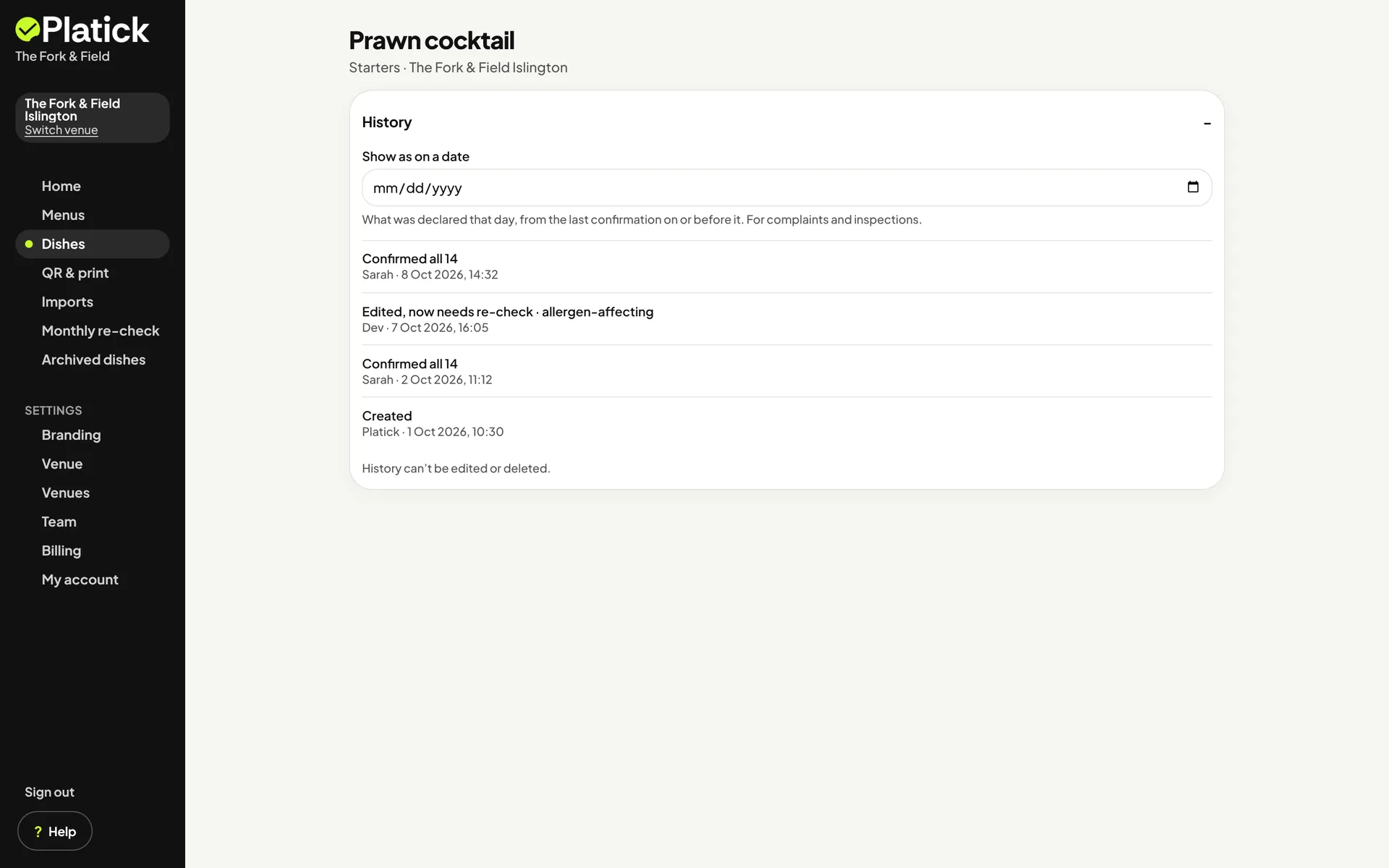
When does a matrix go out of date?
Update the matrix whenever anything that goes into a dish changes. The usual moments:
A new dish
Add its row before it goes on the menu.
A recipe change
A new sauce, garnish or side can add an allergen.
A supplier or product swap
The same dish can change when an ingredient's label does.
Specials and seasonal menus
Short-lived dishes are the easiest to miss.
A dish comes off the menu
Remove its row, so nobody reads an old one.
A new chef or kitchen team
Go through the matrix together on their first week.
Doing it by hand
If your matrix lives in a spreadsheet or on paper, this routine keeps it current.
1. Check the dish
Go through the recipe and each product label against all 14 allergens.
2. Update one master copy
Keep a single file. Don't correct printed copies by hand.
3. Reprint and replace
Swap every printed copy: kitchen, bar and front of house.
4. Date and sign it
Write who checked it and when, so staff know which sheet is current.
5. Tell the team
Mention the change at the next briefing.
It works, as long as every step happens every time.
How Platick keeps it up to date
Change a dish once and guests see it as soon as you confirm. A monthly re-check list so nothing goes stale.
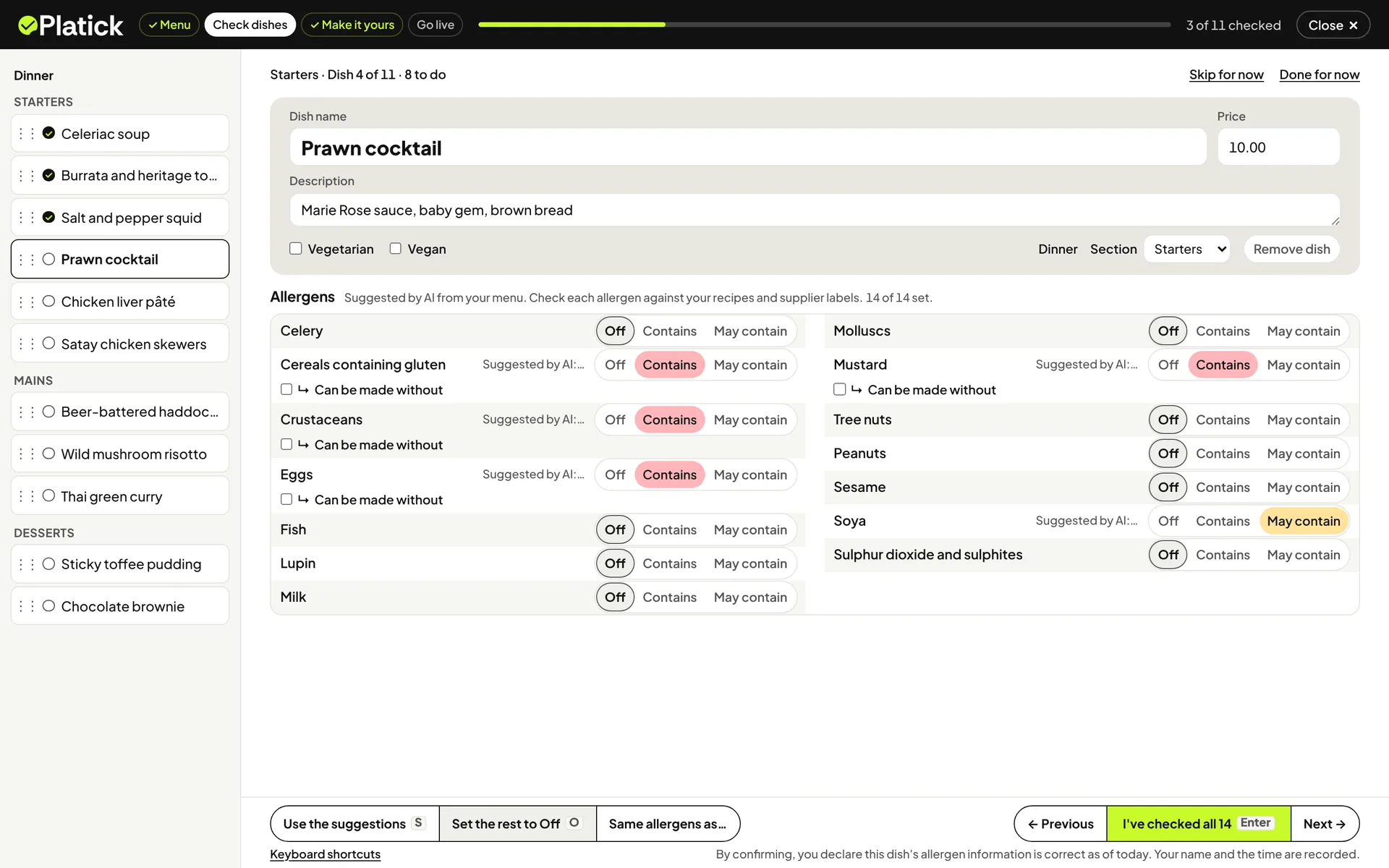
Edit the dish once
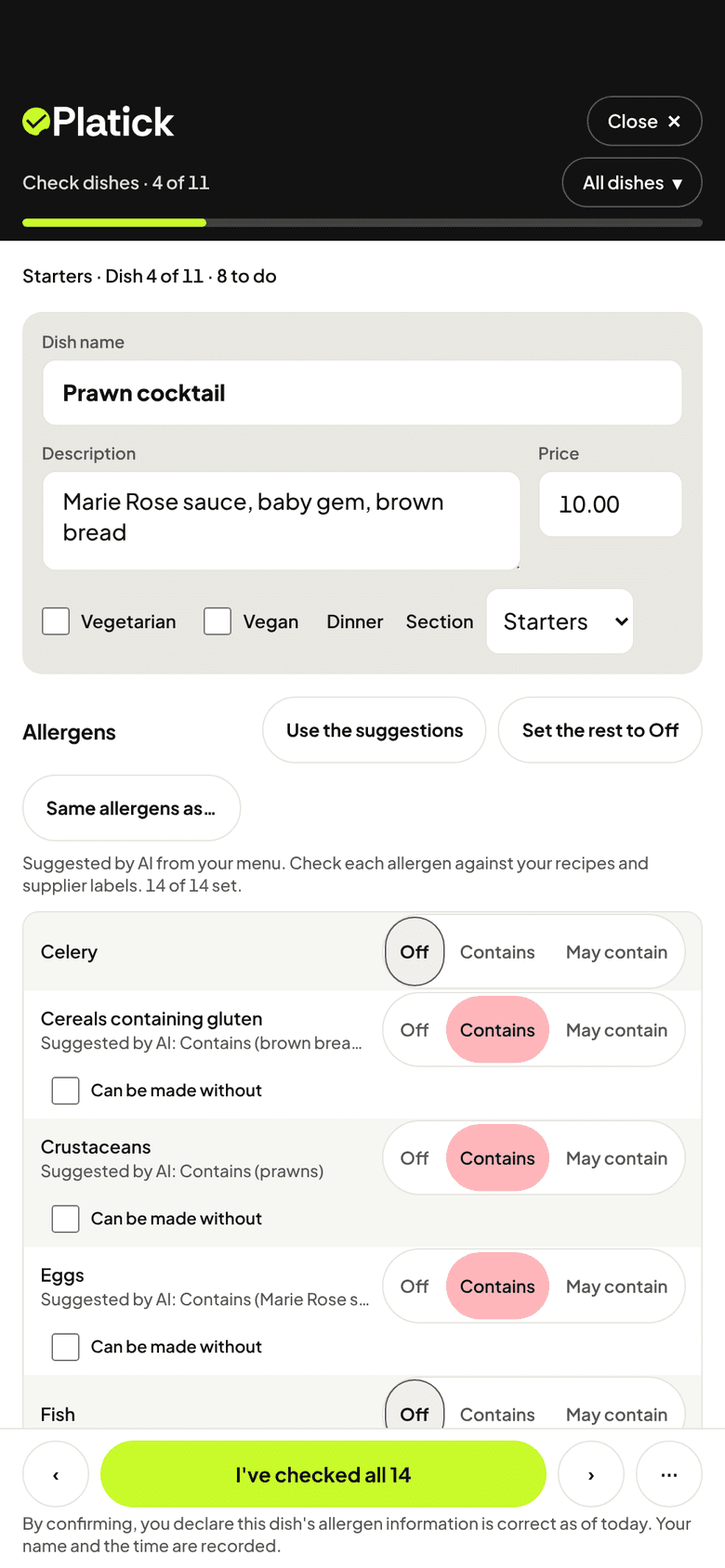
Change a dish in Platick. A change to its allergens waits as a draft until someone checks it.
Someone checks all 14
A person checks every allergen and confirms with "I've checked all 14". Until then, guests see "Being re-checked · ask staff" on that dish.
Every check is recorded
Each confirmation is saved with the person's name, the date and the time.
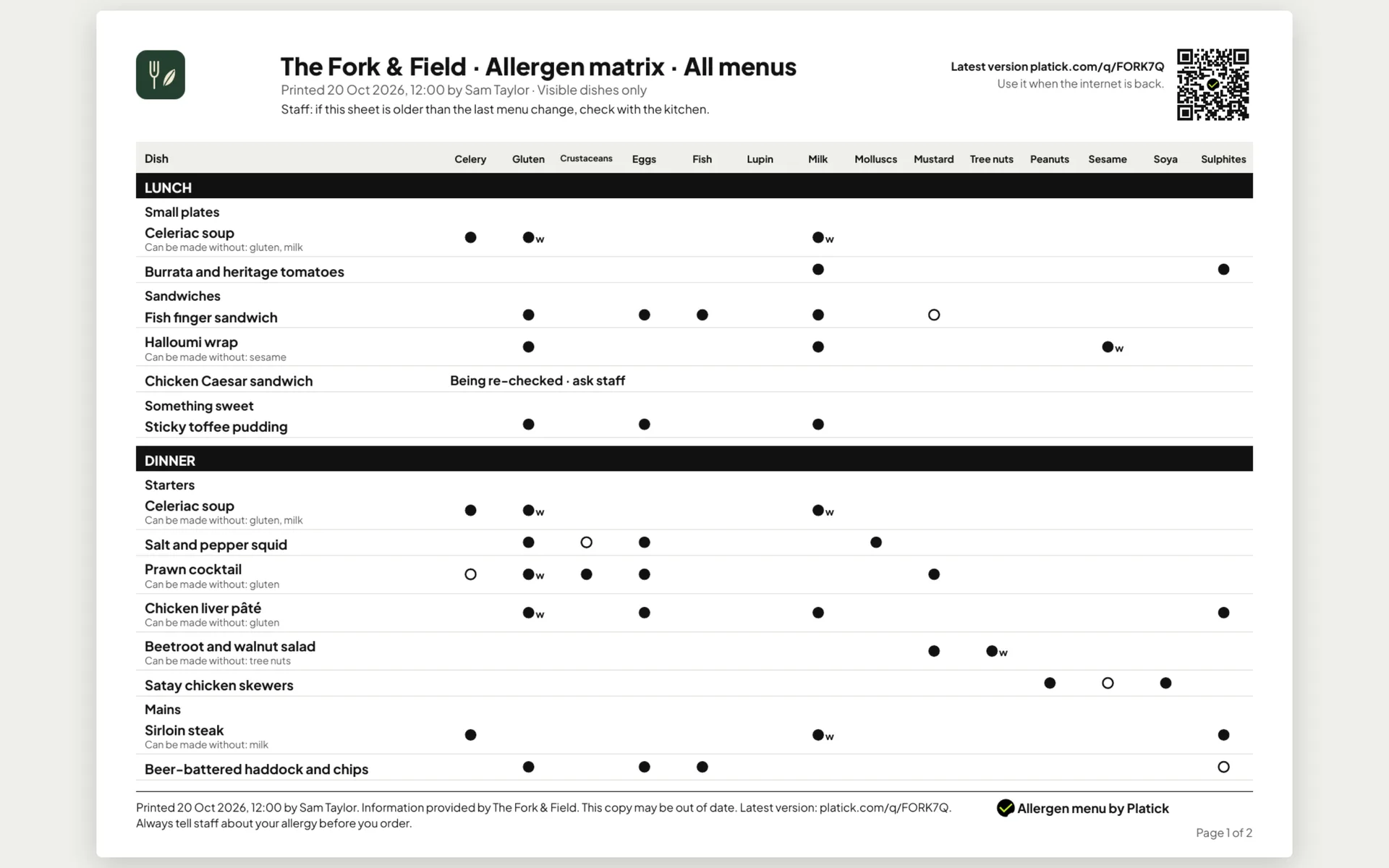
Print a fresh matrix
QR & print makes the allergen matrix as a PDF for one menu or all menus, with the date, the name of the person who printed it and a QR code to the latest version.
Busy week? Leave the typing to us.
Send us your menu. We'll set it up.
Start your free trial and add your payment details, then send us your menu within the first 7 days. We'll load it in. You check and confirm the allergens. One first menu per business.
1. Send it
Photo, PDF or link
2. We set it up
Dishes and sections
3. You check
All 14 for each dish
4. Put up the QR code
One code that never changes
Free blank template
An A4 allergen matrix with the same 14 columns and key, and 20 empty rows to fill in by hand. No sign-up needed.
Download the blank template (PDF)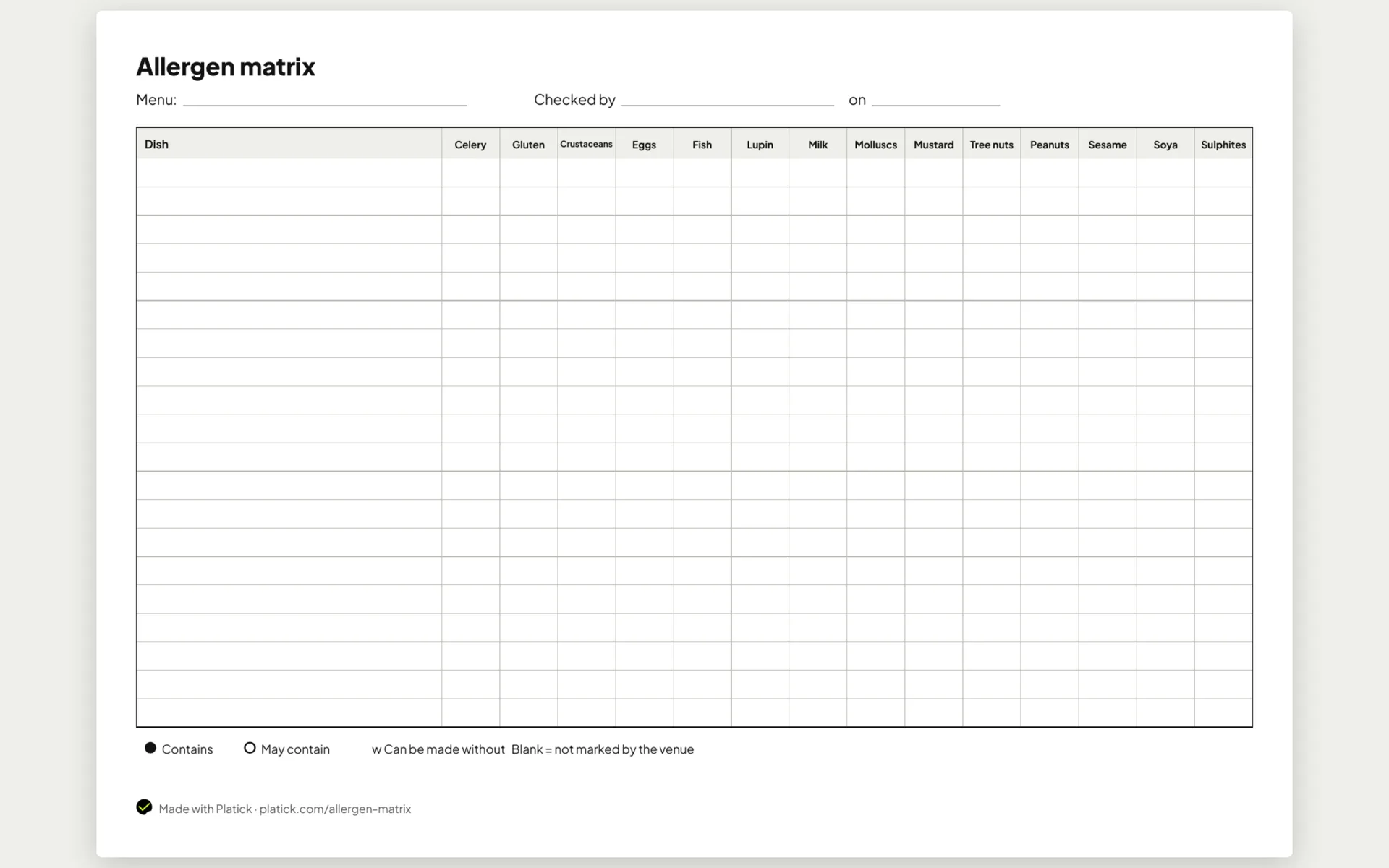
Questions
How often should I update my allergen matrix?
Whenever a dish, recipe, product or supplier changes, and before a new dish goes on the menu. A regular review of every dish helps too: Platick gives you a monthly re-check list.
Who should update the allergen matrix?
Someone who knows the recipes and checks the product labels, often the chef or kitchen manager. On Platick, the name of the person who confirms each dish is recorded.
What if a printed copy is out of date?
Replace it with a fresh print. Each matrix Platick prints has the date, the name of the person who printed it and a QR code to the latest version, so staff can check it's current.
Can I keep using my spreadsheet?
Yes. The steps on this page work for a spreadsheet or paper. Platick removes the retyping: you change a dish once and print a fresh matrix.
Can you set it up for me?
We'll set up your first menu for you. Free. Start your free trial and add your payment details, then send us your menu within the first 7 days. We'll load it in. You check and confirm the allergens. One first menu per business.
Official guidance: Allergen information for non-prepacked foods: best practice

Who's behind Platick
I'm Marho. I built Platick in London to make allergen information easier for venues and clearer for guests.
Try it on your own menu, free for 14 days.
£9/month per venue for your first year with code PLATICKLAUNCH · No VAT · Cancel any time
Start free trial